Other installation methods
This page contains other, miscellaneous ways of setting up a Linux environment.
Mobile devices
If you want to get a Linux environment on an Android phone or tablet, there are a few methods of doing this. This has more limitations than most of the other install methods but will enable you to use a Linux command line and do some programming on a mobile device.
Android
One Android app you can use for a Linux environment on Android is Acode, which is a code editor for Android that also lets you run a Linux environment. To install Acode, you can get it from the Google Play store but we recommend you download it from F-droid since it has more features included for free.
Download F-droid from here: https://f-droid.org
Alternatively, you can download Acode as an APK directly from the F-droid website: https://f-droid.org/en/packages/com.foxdebug.acode/ (scroll down until you see "Download APK")
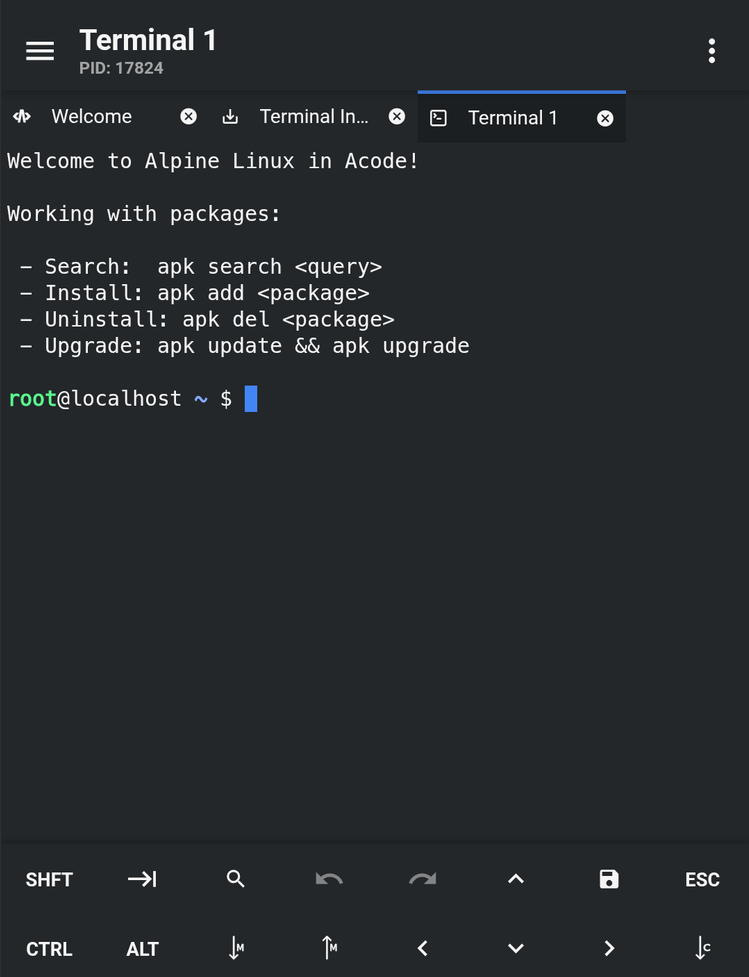
Once you install the app, just tap on "Terminal" and Acode will automatically download an Alpine Linux environment:
Another good app is Termux but that only provides a command line and doesn't have a graphical editor
iOS
If you're on iOS, your options for running a Linux environment are more limited. One app you can use is iSH, this runs a Linux environment on iOS but is likely to be slower and more limited than the Android apps, since iSH has to emulate Linux rather than running natively. Another app you can use is UTM SE which allows you to emulate Linux (similar to running VMs) but this is likely going to be very slow and annoying (the SE literally stands for 'slow edition').